Google Local Services Ads can connect eligible businesses with people looking for their services. The useful question is not simply whether the ads generate leads. It is whether your business qualifies, can respond to the inquiries it receives, and can turn enough of them into work worth taking.
Reviewed September 13, 2026. This guide covers eligibility checks, account readiness, and an original lead-review worksheet. Examples are fictional; they are not client results, market prices, or a recommended advertising budget. No campaign settings are changed by reading this guide.
Start With Eligibility, Not a List of Promised Benefits
Use the eligibility check linked from Google’s Local Services Ads getting-started guide with your real business category and location. Availability is limited; a category offered in one country or city is not proof that it is offered in yours. Do not select an inaccurate category just to complete onboarding.
Google’s provider qualification guidance explains that screening varies by category, country, and whether you advertise directly or through an affiliate. Requirements can include business, licensing, insurance, or background checks. Record the checks actually requested in your account and who will supply the information securely. An agency cannot approve its own client on Google’s behalf.
Check Which Dashboard Your Account Uses
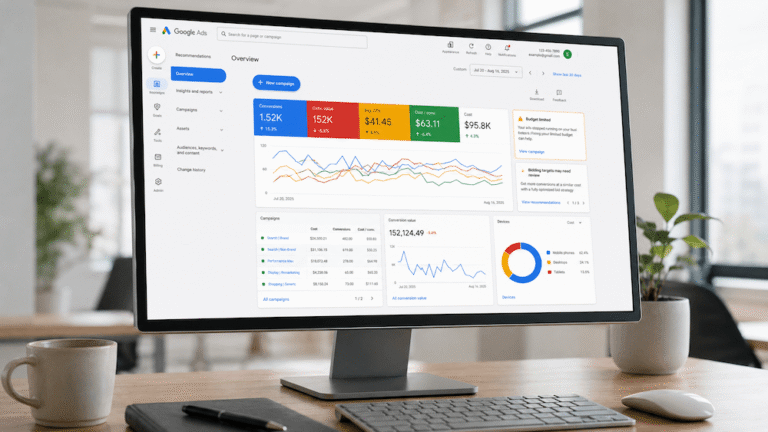
Google is migrating Local Services Ads to a specialized Performance Max campaign type with pay-per-lead goals. Its migration guide describes a phased rollout starting with selected U.S. advertisers in August 2026, with non-U.S. accounts scheduled for 2027. A Canadian business should not assume its account has moved because a U.S. tutorial shows a different screen.
The specialized campaign retains the pay-per-lead model and Search/Maps placements; it is not an instruction to create a standard Performance Max campaign. Follow your account’s migration notice. Google’s guide warns that historical performance reports will not transfer, and describes budget and bidding changes. Save available reports or screenshots before migration, then compare the transferred settings with your records. Check the guide and account notice for the current process rather than relying on an old dashboard walkthrough.
Use a Fit, Fix, or Wait Decision
| Readiness question | Decision before spending |
|---|---|
| Is the real category and location eligible? | If unsupported, wait or evaluate another channel. Do not misstate the business. |
| Are the requested checks complete? | Resolve outstanding requirements through the account’s official process. |
| Do selected services and areas match work the team accepts? | Fix broad or inaccurate selections before paying for more inquiries. |
| Can a named person respond during advertised availability? | Arrange coverage or reduce availability to match staffing. |
| Can the business accept more work? | Wait or pause if the team cannot service additional customers. |
| Can staff connect inquiries to completed jobs? | Prepare a simple lead record before evaluating the channel. |
For example, a fictional repair company may accept scheduled appliance work in two nearby communities but have no emergency technician. Its settings and customer-facing information should reflect that boundary. Increasing the area because a larger map looks more impressive does not create the staff needed to serve it.
A Charged Lead Is Not a Completed Job
Google’s lead billing guidance describes charges for valid leads, with prices varying by factors including location and job type. It also lists situations that do not qualify for a credit, including some canceled bookings and price-research inquiries. A customer who does not buy is not automatically an invalid lead.
Keep Google’s billing status separate from your team’s qualification decision. A lead can be billable under the platform’s rules while being a poor fit for the work you want. Follow the billing guidance and any dated account notices that apply to your campaign; the worksheet below is not a substitute for those rules.
Review Leads With a Small, Consistent Record
Use a lead reference, received time, requested service, area, response owner, billing status, business outcome, and next action. Keep customer contact details in your approved customer system rather than a widely shared review sheet. Do not place call recordings or sensitive customer information in a public example.
| Fictional lead | Observed outcome | Next action |
|---|---|---|
| R-101 | Relevant scheduled repair; job completed. | Connect the job record to the lead reference. |
| R-102 | Emergency request when no technician was available. | Review advertised availability and what staff promised. |
| R-103 | Customer comparing prices; no booking yet. | Record the follow-up, not an assumed refund. |
| R-104 | Inquiry for a service the company does not perform. | Inspect service selections and submit accurate feedback. |
Review unresolved leads with the person who handled them. A blank outcome can mean staff have not updated the record, not that the inquiry was worthless. Track cancellations and delayed jobs in the same review period so the summary does not change simply because one team member records work earlier than another.
Calculate Cost Per Completed Job, With the Limits Visible
Separate fictional monthly example: A business records CAD 600 in lead charges, CAD 60 in posted credits, 12 charged leads, and three completed jobs attributable to that same lead group. Net lead spend is CAD 540. Net spend per originally charged lead is CAD 45; net spend per completed job is CAD 180. These are arithmetic examples, not typical Local Services Ads prices.
Use posted credits, not refunds someone hopes to receive. Keep management fees, taxes, and the team’s follow-up cost separately visible if they are excluded from the calculation. Compare acquisition cost with the contribution from the completed work after delivery costs, not just the invoice total. With no completed jobs, report the spend and zero jobs; do not display a made-up cost-per-job ratio.
Do Not Build the Budget Around Assumed Credits
Google’s automated lead-credit guidance says charged leads may be reassessed and credited. It excludes health care, tax specialists, and EMEA advertisers from that credit program, and no longer supports credits for unserved job types or geographies. The original charge can remain on an invoice even when a credit is applied to the account balance.
Reconcile actual charges and credits with the account records. Use the available lead-feedback process to describe what happened accurately. Fix recurring service or area mismatches in the settings instead of treating feedback as a guarantee that the next invoice will be lower.
Make the Next Decision From Evidence
Proceed with a bounded trial only after eligibility, staffing, and tracking are ready and the budget owner approves the spend. Correct the setup when records show mismatched work or missed follow-up. Wait when capacity or eligibility is missing. A larger budget does not repair an unanswered phone or an unsupported service category.
Supreme Line can scope a local advertising readiness review around the account, service areas, and lead-handling process. Google controls availability, verification, and ad delivery; no agency can guarantee a placement, lead count, or profitable result.