The August 2026 Google Ads bidding change is live. If a campaign uses Target CPA or Target ROAS and is limited by budget, review whether its saved target still represents the result your business needs. A target entered months ago may no longer match the way you judge a qualified lead or sale.
Updated September 13, 2026: This article originally explained the upcoming August 17 change. Google now confirms that the global rollout finished on August 27. The checks below are for reviewing campaigns after the rollout, not preparing for a future deadline. See Google’s rollout FAQ.
What Changed, and Which Campaigns Should You Review?
Google describes a change in how budget-limited campaigns follow their bidding targets. Campaigns that previously delivered better efficiency than their stated targets may now track those targets more closely. For example, a campaign achieving a lower actual CPA than its Target CPA should not assume that the gap will continue unchanged.
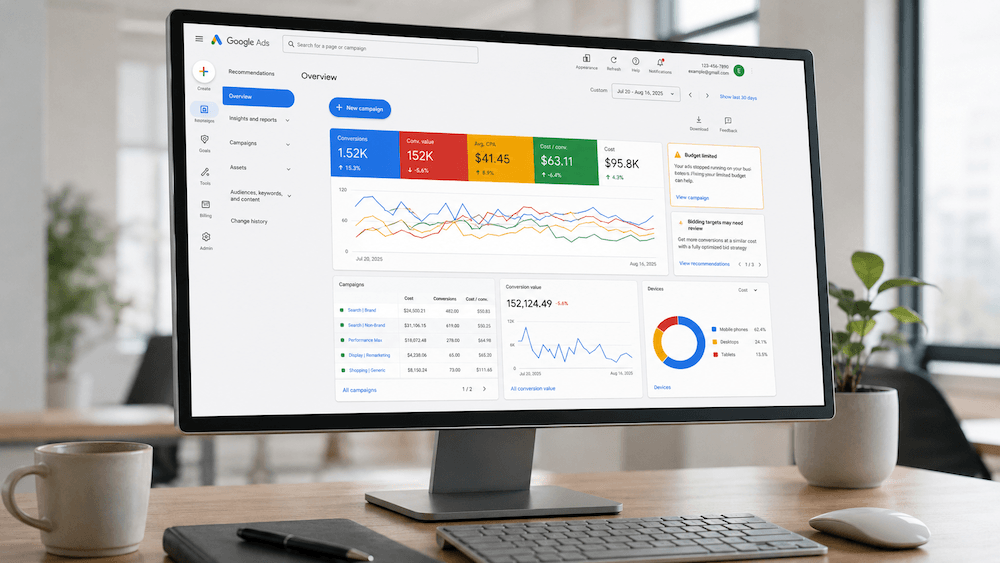
Start with campaigns using Target CPA or Target ROAS that show Limited by budget. Check Google’s current eligibility table and bidding guidance for the applicable campaign types. This article focuses on CPA and ROAS; the wider update also covers Target CPC for Demand Gen. Google has not automatically changed your saved targets or daily budgets as part of this rollout.
Build a Campaign Review Sheet Before Changing Settings
Export the current settings and results first. Record the date range and conversion definitions so another team member can reproduce the comparison. A screenshot of one good day is not a reliable basis for changing a target.
| Record | Question it answers |
|---|---|
| Campaign, bid strategy, and budget status | Is this the kind of campaign being reviewed? |
| Saved target and actual CPA or ROAS | How different is the instruction from the observed result? |
| Spend, conversion count, and conversion value | Is the comparison based on meaningful activity? |
| Conversion actions and reporting delay | Are recent results complete and comparable? |
| Qualified leads, bookings, or completed sales | Do platform conversions correspond to business outcomes? |
| Decision, owner, and review date | What changed, why, and who will check it? |
Use comparable periods and account for your normal delay between an ad interaction and a recorded conversion. Document promotions, tracking changes, and unusual closures. They can make a before-and-after comparison misleading even when the numbers are correct.
Separate Lead Cost From Customer Value
Illustrative example, not client results: A service campaign spends $1,200 and records 30 inquiries. Its actual CPA is $40. Staff qualify 12 inquiries and record three completed jobs. That is $100 per qualified inquiry and $400 in advertising spend per completed job. All amounts here are fictional and use the same currency.
If the campaign’s saved Target CPA is $70, neither $40 nor $70 is automatically the right new setting. The owner still needs to consider job margin, lead quality, capacity, and whether the recorded conversions are the actions the campaign should pursue. Avoid setting a target simply because a smaller number looks better.
For ROAS, document what the conversion value represents. A revenue-based return is not the same as profit after product costs, refunds, fulfillment, and advertising. If your records do not reflect cancellations or returns, explain that limitation before treating the reported ratio as a business result.
Find the Target Adjustment Tool
Google’s instructions provide two routes: open the Review campaigns action in the target-review notification, or open a campaign’s Settings, select Bidding, and choose Review campaigns. Accounts managed through Search Ads 360 use that platform’s review notification instead. Follow the current tool instructions if your account layout differs.
Opening the tool is a review step, not permission to apply every suggestion. Compare its recommendation with the worksheet and obtain approval from whoever owns the advertising budget before saving a change.
Keep, Adjust, or Investigate First
- Keep the target when it still expresses the intended business outcome and the results are understood.
- Review a target adjustment when reliable results and business economics support a different instruction. Save the reason and expected tradeoff.
- Investigate first when tracking changed, recent conversions are incomplete, or reported leads are not genuine customer opportunities.
Changing several settings at once makes the result harder to interpret. Log the old and new values, when the change occurred, and what else changed in the account. Set the next review around the campaign’s reporting delay rather than judging the outcome immediately. No target change guarantees a particular CPA, ROAS, or sales result.
Need a Second Look at Your Campaigns?
Supreme Line can review your campaign setup and conversion tracking alongside how your team qualifies inquiries. Share the campaign goals and reporting concerns, and we can scope a review without assuming that increasing spend is the answer.